
PATCAM 2010
Welcome To Cut Copy Paste, a step by step guide to totally customize Blogs. Whether you're wanting to build a website or just a really cool blog, I can show you some easy ways to get started.
Feel free to leave suggestions or comments to help make this site better in the Shout Box below.
 Adding Playlist Lesson:
Created By:
PATCAM
Web Designs
Oklahoma City, Ok.
Serving the State of Oklahoma and beyond.
P.W.D. is dedicated to helping small businesses get their products & services on the Internet. We can custom build a website that caters to your needs
and the needs of your customers.
We understand the complexities of Internet Coding and work out all the red tape, so that when you or your customers are ready, you can enjoy all the benefits
of having your very own Website.
We Build:
Websites
Order Forms
Employee Applications
Photo Galleries
Video Productions






PATCAM
Recommends:

Opera Web Browser
|
Section 1 - Establish Your Blogger
Sign Up for a Blogger account and establish a blog address. Remember that the shorter your blog address is, the easier it is to add the URL (web pages address) to other material such as flyers, links or other means of advertising. To make things easier, I am recommending you use the "Minima" pre-made template. This layout is basic and comes in various pre-defined colors. Once you have selected your template, make a test post and publish to establish the feed to your blog.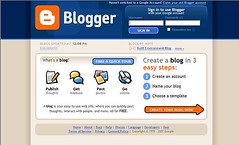 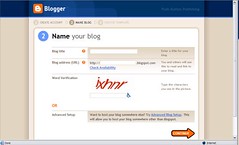 Labels: HTML Helper
Section 2 - Reverting the Template
Go to your template and find an option that says "EDIT HTML." Then scroll to the bottom of that page and select "Revert To Classic Template" 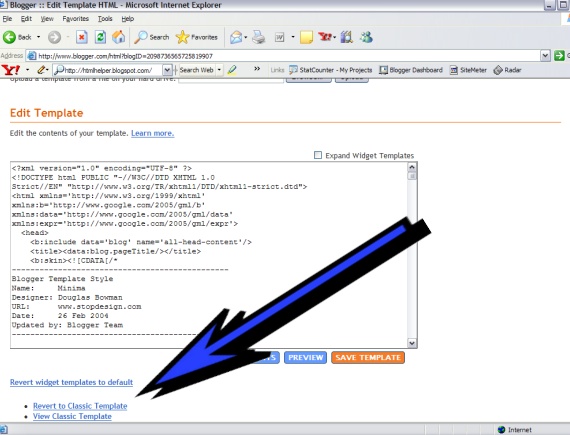 Select this option before you start editing, because all the changes you make prior to reverting templates will not be applied to the Classic Editor. Make sure to save often. In the upcoming sections, I always recommend that you "preview" your work before saving, as some edits can be irreversible. Select this option before you start editing, because all the changes you make prior to reverting templates will not be applied to the Classic Editor. Make sure to save often. In the upcoming sections, I always recommend that you "preview" your work before saving, as some edits can be irreversible.Labels: HTML Helper
Section 3 - Changing the Background Elements
The basic html structure codes to change the background attributes is usually found in the <body> tags. There is a code element, however in the blogger script that you must remove all together.
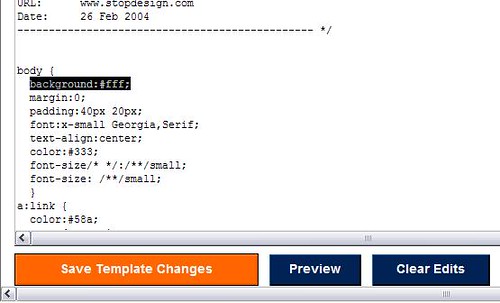 Note: If you are just wanting to use a solid color, all you have to do to is change the hexcode(#color). DRAAC's has a quick reference hexcode chart, and also a list of all acceptable colors. If you just use the name of a color, be sure to remove the # from the definition. After removing the background element, scroll down to the <body> tag. To add a background image, you must upload the background to a photo hosting website somewhere, so that you can obtain the backgrounds URL (http://www.address.com/). If you use flicker, the edits to the tag would something look like this:
<body background="http://www.flickr.com/image1.jpg/">
The background image as a rule will scroll with content of your page and if it doesn't fit the entire width of your page it will "tile." If you have an image that is adequate in both height and width, it will have a more uniform look. You can add an element to the <body> tag and make it to where your background will stay stationary and the content of your blog will scroll over the background. The element changes the background properties to be "fixed" and looks like this once installed.
<body background="http://www.flickr.com/image1.jpg/" bgproperties="fixed">
Note: ***This script does not work in the FIREFOX internet browser!!!***
There are many other attributes that can go into the <body> tag, and I think you will find, that alot like the head area of a websites script, this is a very versatile part of the code. Labels: HTML Helper
CCP - Networked Blogs on Facebook
|
|